


By now you know your router sends out Wi-Fi, and you know there are different bands. But what do you do when the Wi-Fi in the back bedroom is useless?
You have three options:
- Run a cable from the router to that room (wired)
- Buy a mesh Wi-Fi system
- Buy a range extender (spoiler: don’t - it’s the budget option that doesn’t really work)
Let’s walk through each.
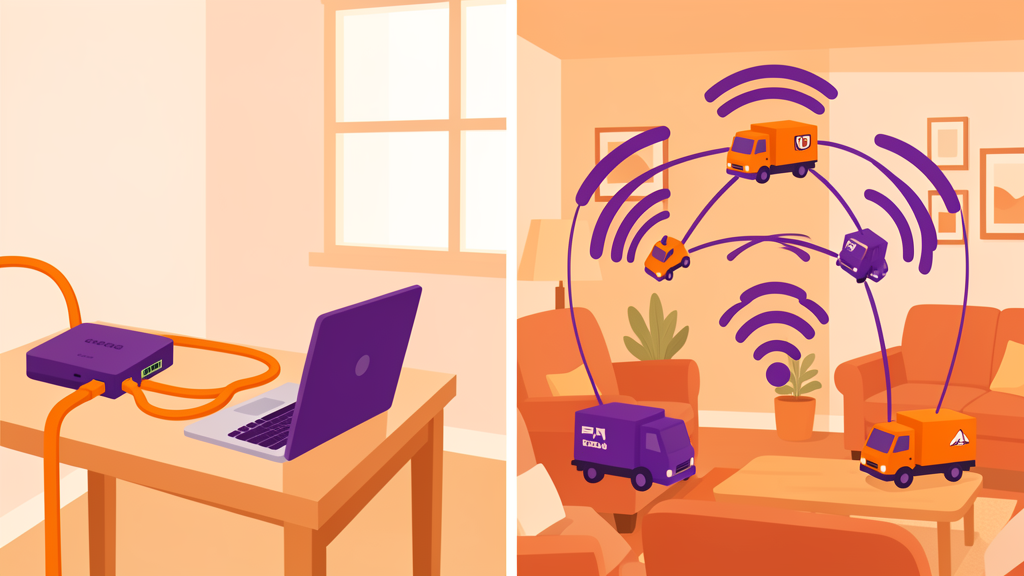
The Highway Analogy
Think of your home network as a delivery service:
- Wired Ethernet is a dedicated highway from the depot to one house. Nothing else uses it. Packages arrive instantly, every time.
- Mesh Wi-Fi is a fleet of vans working together. Each van covers a neighbourhood, and they talk to each other. Slower than the highway, but every street gets service.
- Range extender is a van that drives halfway, drops the package off with a courier on a bicycle, and hopes it gets there. Sometimes it works. Often it doesn’t.
Option 1: Wired Ethernet
This is a cable running from your router to a device. It’s the fastest, most reliable connection you can get.
The good:
- Fastest possible speed. A basic Ethernet cable handles 1 Gbps. That’s enough for twenty 4K streams at once.
- No interference. Walls, neighbours, microwaves - none of it matters. The cable is a direct connection.
- Set it and forget it. Once installed, it works for decades. No reconnecting, no “the Wi-Fi is slow tonight.”
- Cheaper. A 50-foot Ethernet cable costs about $15. A good mesh system costs $200–500.
The bad:
- You need to run the cable. That means drilling holes, stapling along baseboards, or fishing through walls. If you’re renting, your landlord might not like this.
- Some devices still need Wi-Fi. Phones don’t have Ethernet jacks. You’ll run cables to the things that don’t move (TV, desktop computer, game console, office desk) and rely on Wi-Fi for everything else.
When Ethernet Makes Sense
- Your desk. If you work from home, wire your computer. Video calls will never drop.
- Your TV. Streaming is rock-solid over a wire. No buffering during the big match.
- Your game console. Online gaming hates lag. Cabled Ethernet is the fix.
- A single far-away room. If one room has bad Wi-Fi, running one cable to an access point in that room solves the problem cheaply.
Option 2: Mesh Wi-Fi
Mesh is a system of two or more devices that work together. One plugs into your modem. The others go in different rooms, and they all talk to each other wirelessly.
The good:
- Easy setup. Plug them in, follow the app, done. No cables, no drilling.
- One network name. Unlike an old-school range extender, mesh creates one seamless network. Your phone switches between mesh nodes without dropping the connection (usually).
- Decent speed. Modern mesh systems (Wi-Fi 6 or 6E) are fast enough for streaming and video calls.
The bad:
- Expensive. A good mesh system costs $200–500. Wired access points cost a fraction of that.
- Speed drops with distance. Each mesh node is using Wi-Fi to talk to the next node. Every hop cuts the speed roughly in half. If you have three nodes in a line, the last one might be getting half the speed of the second one.
- Power outlets needed. Each node needs an outlet. In a big house, that’s a lot of plugs.
When Mesh Makes Sense
- You rent. You can’t run cables through walls.
- Big open spaces. Open-plan homes, large living rooms, converted lofts - mesh covers them well.
- No single problem room. Your whole house has mediocre Wi-Fi. Mesh improves it everywhere.
Option 3: The Range Extender (Don’t Buy This)
A range extender plugs into a power socket, connects to your Wi-Fi, and re-broadcasts it. It sounds clever. It’s not.
The problems:
- Half your speed, at best. The extender is using the same radio to receive and re-send. This cuts your bandwidth in half.
- Separate network. Many extenders create “SmithHome_EXT” - a second network you have to manually switch to as you move around the house.
- Unreliable. They drop connections, need resetting, and often make things worse, not better.
There’s one use case where they’re acceptable: a single device (like a smart plug in the garden shed) that doesn’t need speed and can’t be reached any other way. But for anything you actually use - no.
The Quick Decision Guide
| Your situation | Best option | Why |
|---|---|---|
| Own your home, have one dead spot | Run a cable to that room | Cheapest, best performance, permanent fix |
| Own your home, can’t drill or have solid walls | Mesh system | Only practical option for stone/brick/concrete |
| Renting | Mesh system | No holes, you take it with you |
| Whole house has weak Wi-Fi | Mesh system | Even coverage everywhere |
| Work from home, bad video calls | Ethernet to your desk | Fixes the one connection that matters |
| Want the best possible speed | Ethernet to every room | Expensive to install, but nothing beats it |
| Considering a range extender | Don’t | Save your money for mesh or a cable |
Wait - What About Powerline Adapters?
You may have heard of Powerline - devices that send internet through your house’s electrical wiring. They’re an option, but here’s the honest truth: sometimes they work brilliantly, sometimes they don’t work at all.
They depend on your home’s wiring, what else is plugged in, and whether the two outlets are on the same electrical circuit. The only way to know is to try one from a store with a good return policy.
If you’re curious, try a Powerline kit from a store that accepts returns. If it works, great. If not, return it and go with Ethernet or mesh.
What to Do Now
- Find the dead zone. Walk around your house with your phone and note where Wi-Fi gets bad
- Count how many devices need fixing. One bad room? Run a cable. Everything bad? Mesh
- Check your walls. Wood and drywall? Cables are easy. Brick or concrete? Mesh is your friend
- Look for Ethernet ports on your walls - you might already be wired and not know it
- Set a budget. Wired = $15–50 per room. Mesh = $200–500. You don’t need to spend more
Read this next: How to Set Up Separate 2.4 and 5 GHz Networks - the smart bulb fix mentioned in the last guide, step by step.
Want the full guide? We’re building a complete home networking book. Sign up to hear when it’s ready.